
What’s In The Box
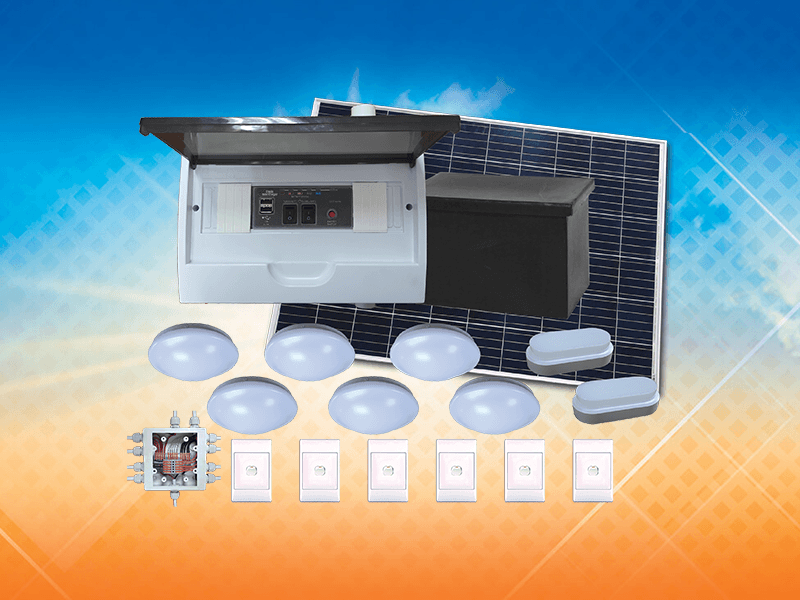
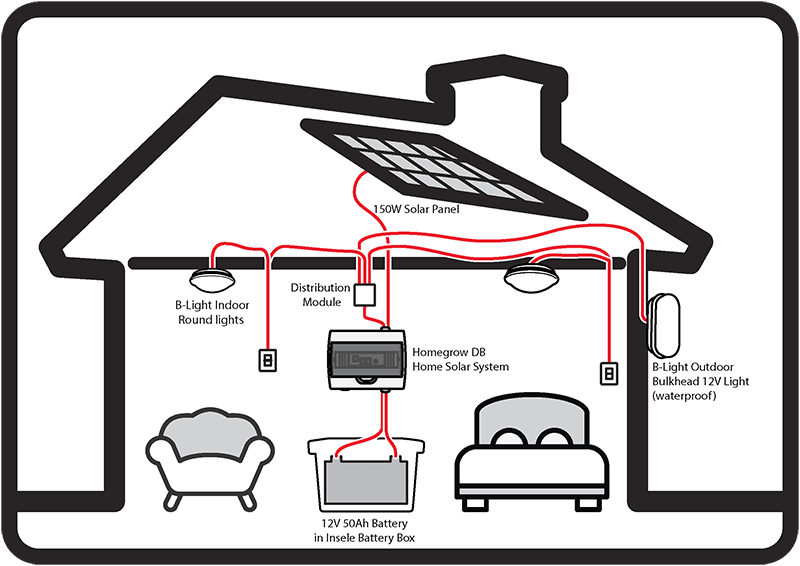
A battery box with a 12V 50Ah lithium battery
The HomeGrow DB unit
A 150W solar panel
Six round indoor ceiling lights
Two waterproof outdoor bulkhead lights
Six wall switches
Distribution splitters for wiring the lights
Built For The National Electrification Programme
The i1000 HomeGrow was designed for the Department of Energy’s programme to bring basic electricity to homes the grid doesn’t reach. Since 2019, i1000 systems have been installed in villages in KwaZulu-Natal, the Eastern Cape and Mpumalanga. More units are in production now for the 2026 roll-out.
What It Can Power
The i150 Pre-Paid lets people pay for solar power as they use it. It works like prepaid airtime:
- Eight LED lights with two brightness settings (0.6W dim, 3.5W full)
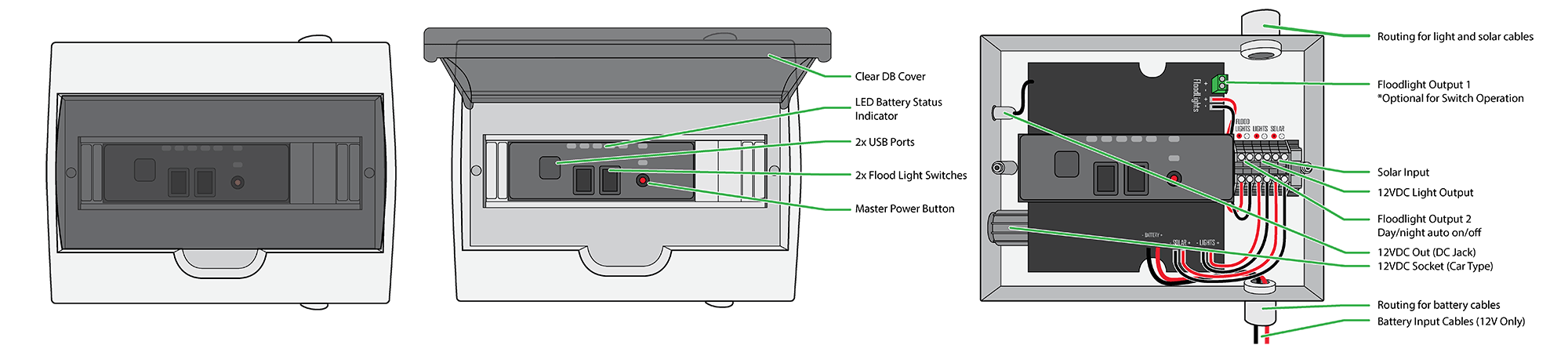
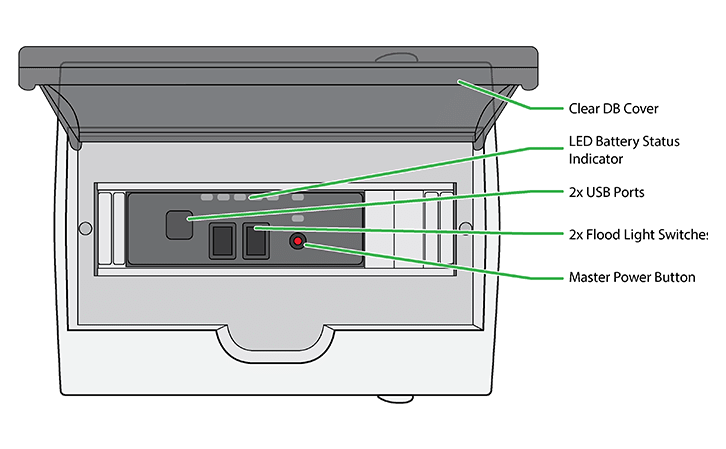
- Phones and tablets through two USB ports (3A each)
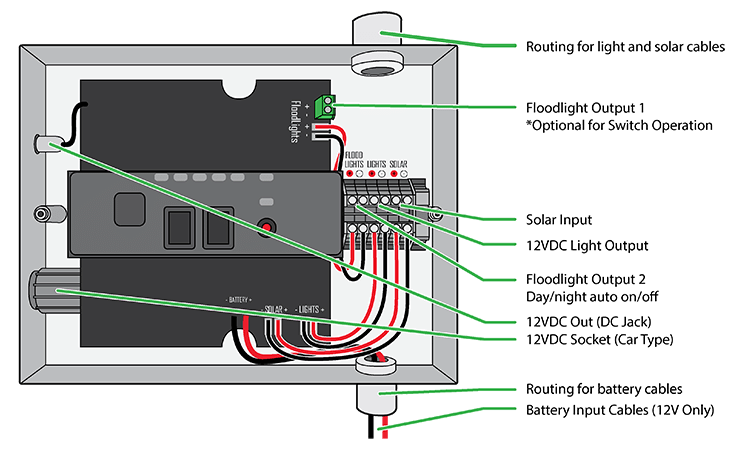
- Small 12V devices through two 12V outputs and a 12V socket (12V 2A, 24W)
The i1000 is a 12V DC system, so it can’t run 220V appliances like fridges, kettles or irons. If you need to run a TV or small freezer, look at the AC/DC Homegrow.
How It’s Installed
The lights are wired through the distribution splitters and controlled with normal wall switches, so the home works like any wired house. The two outdoor lights have their own day and night setting, which switches them on at dusk and off at dawn.
Specifications
| Battery | 12V 50Ah lithium (LiPo), in a separate battery box |
|---|---|
| Solar panel | 150W monocrystalline or polycrystalline |
| Charge controller | PWM, 15A maximum charge current |
| Lights | 6 indoor ceiling lights and 2 outdoor bulkhead lights |
| Light power | 0.6W dim, 3.5W full |
| Switches | 6 standard wall switches |
| USB | 2 ports, 3A each |
| 12V | 2 x 12V DC outputs and 1 x 12V socket (2A, 24W) |
| Outdoor lights | automatic day and night switching |
| Battery status | LED indicator |
| Input voltage | 18 to 22V DC |
| Output voltage | 12 to 14V DC |
| Light on a full charge | 15+ hours |
| Charge time | 4.5 hours |
| Unit size | 440 x 350 x 280mm |
| Warranty | 12 months from Microtronix Manufacturing. The battery is covered by the supplier's warranty. |
Where The i1000 Homegrow Is Used
Matatiele, KwaZulu-Natal (2019) – Department of Energy, with SWAN Electrical.
KwaZulu-Natal, Eastern Cape and Mpumalanga (to 2022) – Department of Energy programme, through several tender winners.
Eastern Cape, Durban, Witbank and Mpumalanga (2023 to 2025) – Department of Energy programme.
National roll-out (2026) – In production now.
i1000 Homegrow Questions
How long does the i1000 run on a full charge?
15 hours or more, depending on how many lights are on and the brightness setting.
Can the i1000 run a TV or fridge?
No. It’s a 12V DC system for lights, phone charging and small 12V devices. The AC/DC Homegrow adds a 1kVA inverter for a TV, a decoder or an A+++ fridge or freezer.
What do the battery indicator colours mean?
Flashing blue: the battery is charging
Green: fully charged
Yellow: about three quarters charged
Amber: about half charged
Red: almost flat
It’s normal for the colour to change back and forth a little while charging, because the power from the panel goes up and down with the sun.
Why have all the lights gone off?
If none of the indicator lights are on, the system has probably shut itself down to protect the battery. Leave it until the sun has recharged the battery and it will come back on. If it doesn’t, check that all the connections are secure, then contact your installer.
See All FAQs →